.PNG)

Video Tutorials
- Stepper Full-Step vs. Half-Step Excitation
-
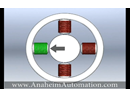 Stepper motor modes: full-step vs. half-step excitation; how the two compare.
- Stepper Motor Introduction
-
 Important features of the stepper motor, a high-quality product available at Anaheim Automation. A wide variety of low-cost motion control products are available to choose from, along with the help of a friendly and knowledgeable technical staff.
- How Do External Linear Stepper Motor Actuators Operate
-
 How do External Linear Stepper Actuators work? Unlike Captive and Non-Captive Stepper Actuators, external linear actuators use a nut in addition to the usual threaded leadscrew. As the motor rotates the screw, the nut translates the rotary motion into linear motion as it moves along the shaft of the leadscrew.
- Installing PCL601 Drivers
-
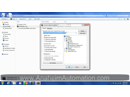 This video will walk you through the steps of installing the drivers for the PCL601 on Windows 7.
- 4 Axis Stepper Control
-
 This video demonstrates the configuration of PCL501 controllers to control a 4 axis system. This will cover the setup, the connection and instruction set. Our goal will be to slew all four axis simultaneously
- Stepper Motor: Basics of Microstepping
-
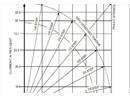 This video explains the fundamentals of microstepping compared to full-step excitation.
- How a Captive Linear Actuator Runs
-
 This video explains how the Captive Linear Actuator motor operates. An internal nut spins a threaded portion of the shaft. This is one feature that contributes to make the shaft come in and out of the motor. The other feature is the two notches that you see on both sides the shaft. These two notches "captures" the shaft and does not allow the shaft to rotate. Without the notch, it will cause the shaft to rotate in place.
- How a Threaded Linear Actuator Runs
-
 This video demonstrates how a Threaded Linear Actuator motor runs. This is a normal step motor with a long threaded shaft. This type of stepper motor is typically used with a threaded nut that travels up and down the shaft.
- How a Non-Captive Linear Actuator Stepper Motor Runs
-
 This video shows how a Non Captive Linear Actuator moves. Both the shaft and the body needs to be secured for proper operation. When the shaft or motor body is not secured, it will spin freely. For this example, the shaft and motor body is secured (due to its weight and placement of wires), resulting it to move up and down the shaft
- Single-Ended vs. Differential Optical Encoders
-
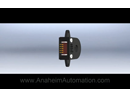 A quick comparrison between Single-Ended and Differential type encoders, this video explains the features and benefits of each encoder, while providing tips on optimizing signal quality.
- A2 Series Single-Ended Encoder Installation
-
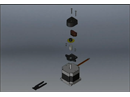 This video explains step by step, how to install a Single-Ended Encoder. This video is specific to the Anaheim Automation A2 series only.
- A3 Series Single-Ended Encoder Installation
-
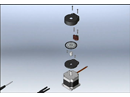 This video explains step by step, how to install a Single-Ended Encoder. This video is specific to the Anaheim Automation A3 series only.
- A4P Series Single-Ended Encoder Installation
-
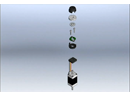 This video explains step by step, how to install a Single-Ended Encoder. This video is specific to the Anaheim Automation A4P series only.
- A5 Series Differential-Type Encoder Installation
-
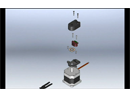 This video explains step by step, how to install a Differential-Type Encoder. This video is applicable to Anaheim Automation's A5 series only.
- How to Hook Up a Brushless Driver
-
 This video is the Brushless DC Driver hookup tutorial for the MDC100-050101. The video involves nine easy steps to follow when hooking up a Brushless DC Driver. These steps will show how to connect the driver to the power supply and motor. The first step of the tutorial is removing the driver from the packaging and insuring that the manual is included with it. The second step involves securely connecting the power and ground leads to the terminal block. The third step required is to set the correct voltage on the power supply. After this has been accomplished, follow the fourth step and connect the driver to the power supply. The fifth step of the tutorial has the user connect the hall sensor leads to the terminal block. The sixth necessary step is to turn on the power supply and spin the shaft to make sure the hall sensors were connected properly. Connecting a wire between brake and ground is required in the seventh step to make the motor turn. In the eighth step, connect the motor phases to the terminal block. For the ninth and final step adjust the speed and current settings. After these nine steps the Brushless DC Driver should be ready to go.
- HMI Hello World
-
 This video demonstrates how to create a Hello World program on an HMI. This tutorial will walk you through the steps of creating a new frame, writing text to the frame, and displaying the frame. This example will show you the basics of handling and managing windows and frames.
- How to Update Kinco HMI Drivers
-
 This video will walk you through the process of assigning our HMI device the correct device drive. Often, Windows will automatically assign what a device driver, but it will not be the best-suited driver. This video will instruct you on correcting this error.
- Adding Your Logo to an HMI
-
 This video demonstrates how to add your own logo to an HMI on Start Up. This tutorial will walk you through the steps of importing a new logo and displaying it at start up.
- VFD Control: How to Control a Kinco VFD Using HMI Modbus RTU
-
 In this tutorial, you will learn how to control a Kinco CV100-2S-0007G VFD using the MT4434TE HMI with the Modbus RTU protocol.
- HMI-KNC Ethernet Program Download
-
 This tutorial will walk you through the setup process for downloading your program to the Kinco Series HMI. This allows you to remotely program your HMI as long as you are on the same default gateway. Ethernet download allows you to leave your existing application intact and make updates at will.
- Introduction to HMI Bit Control Components
-
 An overview of basic components in the HMIWare editing software, such as bit state lamp, bit state setting and bit state switch.s
- Creating One Button for Two Commands
-
 This video demonstrates how to send two commands to a controller from a single HMI button using a Bit State Setting, Macro's and a PLC Control component. This demonstration introduces you to the PLC Control component which has several different usages, using one bit register to perform multiple operations is just one.
- HMI:Send ASCII Commands to Controller
-
 This video demonstrates how to create a program on an HMI which will send ASCII commands to a controller. This tutorial will walk you through the steps of formatting your text, storing your text and how to send your text from the HMI to the controller. With this simple tutorial you can easily export the ASCII commands specific to your controller.
- HMI: Servo Analog Control
-
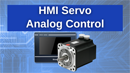 This video demonstrates Servo Motor Analog Speed control through an HMI and PLC. We cover all of the necessary parameters that need to be set in the PLC and create a GUI in the HMI to access the necessary registers in the PLC.
- HMI: Timer Function
-
 This video demonstrates how to create a Timer and use a macro in a program to display time on an HMI. This tutorial will walk you through the steps of creating a timer, macro, number display and displaying the frame. This example will show you the basics of handling a timer control.
- Installing an Application to an Android Device
-
 This video is the third of a series of tutorials that will teach you how to work with the Android SDK in the Eclipse development platform. This tutorial specifically shows you how to install an Android application to an Android Device.
- Android Programmable Input/Output Controller
-
 This video highlights the various uses for the PCLIO-0808-BT Bluetooth Programmable Input/Output Controller. Anaheim Automation has designed and created this controller along with the User Interface, SignIO, which can be found on the Google Play Store.
- How to Install the Android SDK
-
 This video is the first of a series of tutorials that will teach you how to work with the Android SDK in the Eclipse development platform. This tutorial specifically shows you how to install all the necessary components needed for Android Development.
- Tutorial: How to Update Kinco Servo Driver Firmware
-
 This video includes helpful, detailed instructions for installing the firmware update for Kinco Servo Drivers manufactured prior to 2018.
- Tutorial: Motor Inertia Ratios
-
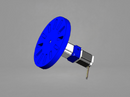 In this video we discuss the basics of inertia ratios with regards to stepper and servo motors, as well as measuring mass moments of inertia.
- Kinco AC Servo Motors Quick Start Guide
-
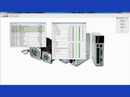 In this video we discuss the basics of setting up your Kinco servo motor system.
- Tutorial: Kinco Servo Motor Position Control
-
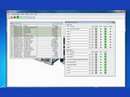 In this video we discuss the servo motor positioning control.